⚡ Activate a Contract
Make a deployed Stylus program executable. First connect your wallet and select the program's network. Manual activation is paid from your wallet.
Step 1: Check the program
In My Contracts, select Add Contract and enter the deployed address. The app checks the bytecode and activation state. For a program that has never been activated, the validation step offers Activate now with a fee estimate.
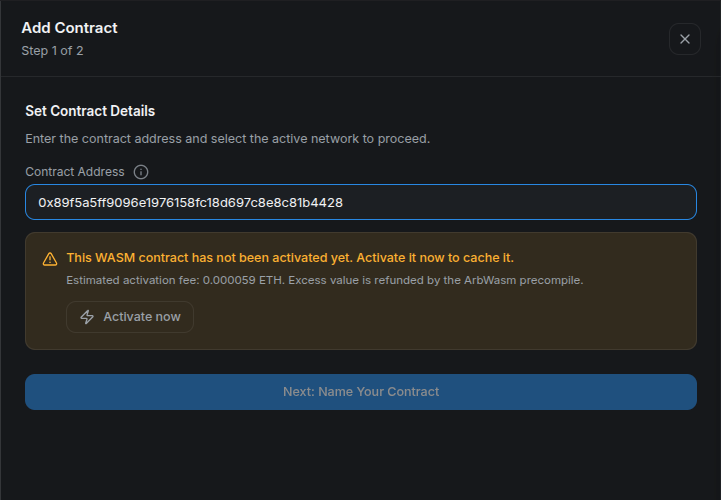
Step 2: Activate and confirm
Select Activate now, switch the wallet network if prompted, and review the value and gas in the wallet. Confirm the transaction and wait for its receipt. An estimate or submitted transaction alone does not confirm activation.
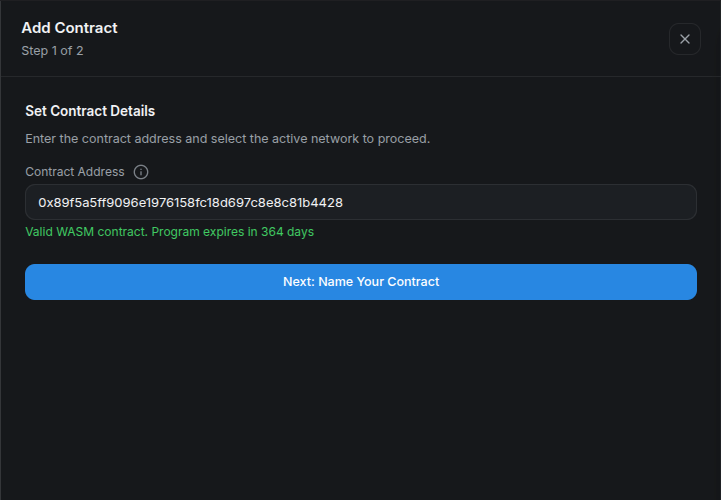
Once the program is active, continue to the name step and add it to My Contracts.
Step 3: Monitor its lifetime
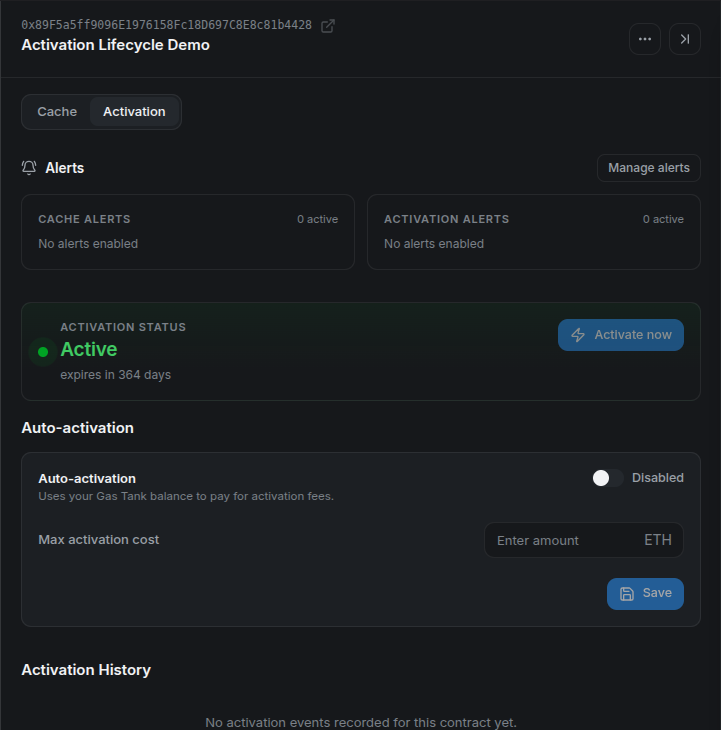
Open the saved contract and choose Activation. Verify Active and the remaining lifetime. The displayed lifetime depends on the chain and its current protocol settings.
Reactivate an existing contract
When the tab reports Activation expired or Needs upgrade to current Stylus version, use Activate now again. In My Contracts, select the saved contract and open Activation to find this action.
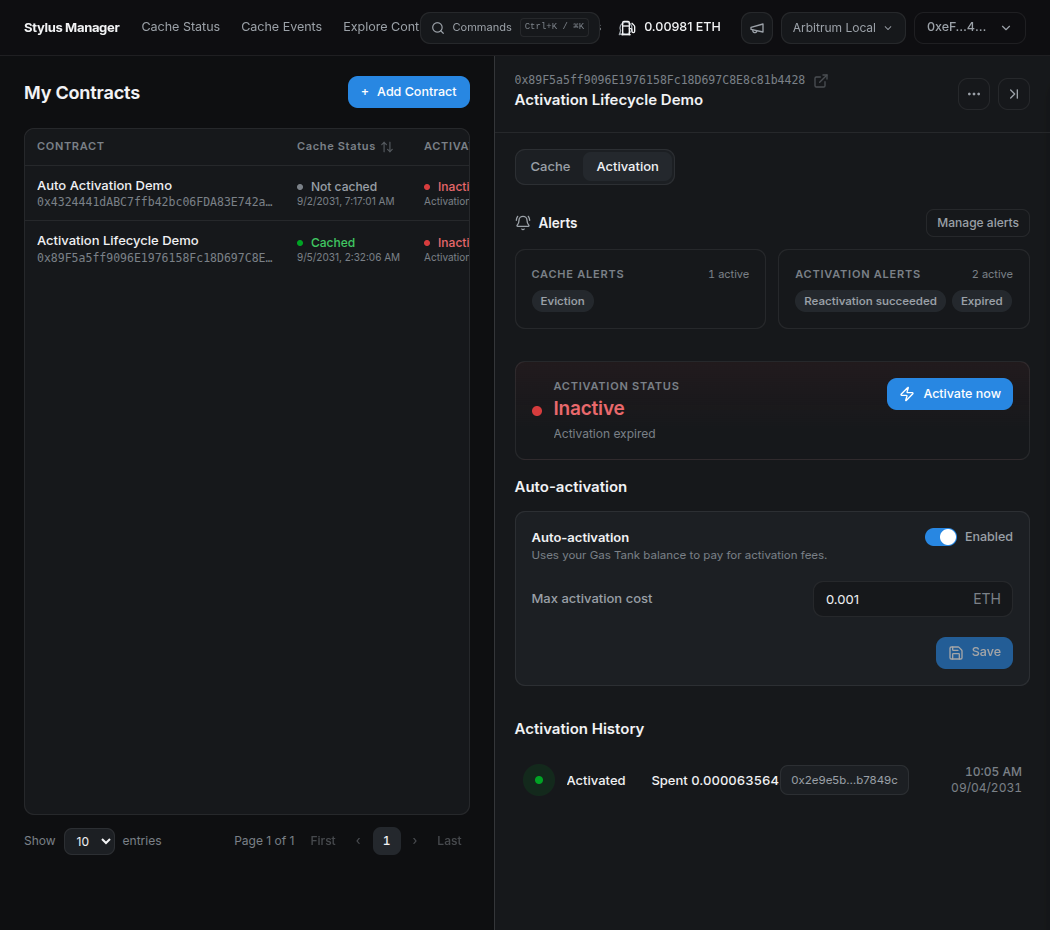
After confirmation, refresh and verify the renewed active state. If the state is Unknown, retry the status read before assuming the program needs a transaction. If an attempt fails, inspect the displayed error and transaction details.
Direct wallet activation updates the program's state, but Activation History currently lists CMA automation events. Use the wallet receipt or explorer for a direct activation transaction.
Next: Auto-activation, or the Cargo and Hardhat activation tutorial.