🔔 Set Up Alerts
Monitor both contract activation and caching. Configure delivery channels once, then enable the alert types and channels for each saved contract.
Step 1: Configure delivery channels
Open the notification settings icon in the header, or choose Notification settings from Commands.
- Telegram: start the configured notification bot and enter your chat ID.
- Slack: enter an incoming webhook URL.
- Webhook: enter an endpoint for your own receiver.
Use the channel's test action and save the configuration.
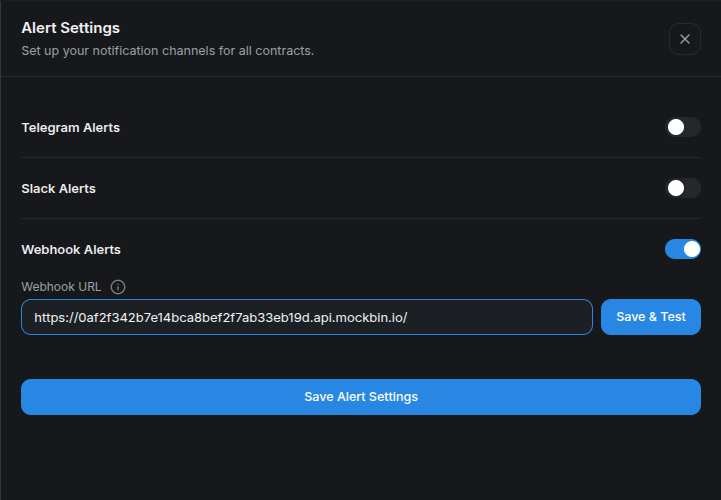
The endpoint in the snapshot is a throwaway tutorial destination. Use your own destination for delivery.
Step 2: Choose contract alerts
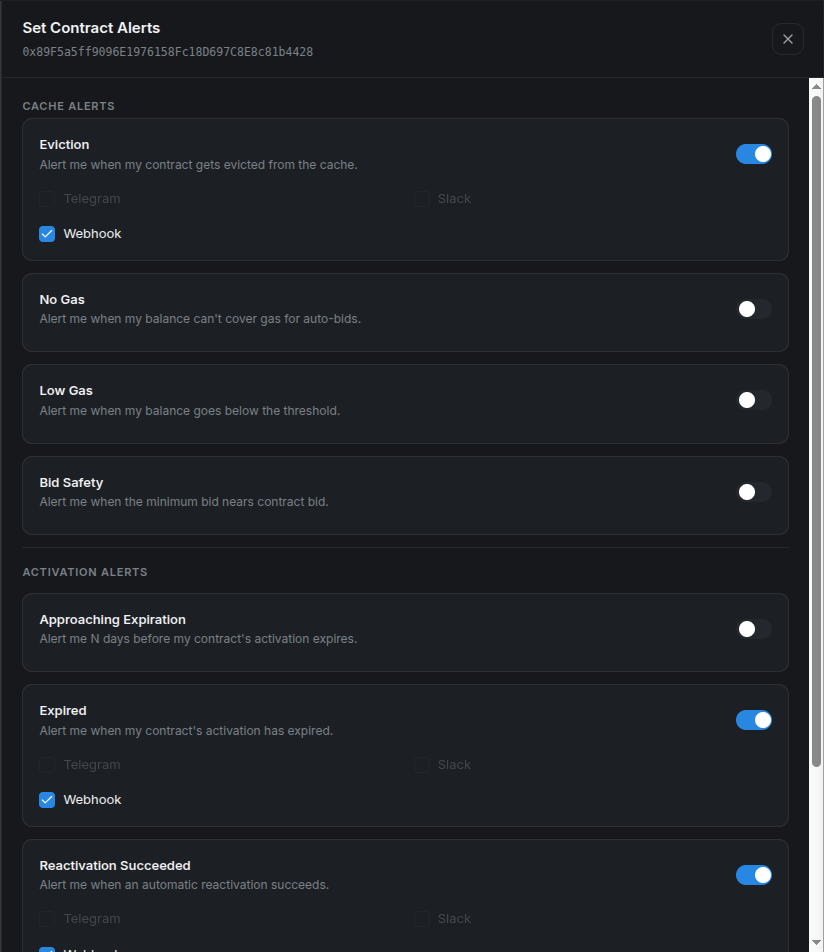
Open the contract and select Manage alerts, or Contract Alerts from its actions menu. Choose channels for each enabled alert.
| Cache alert | Trigger or setting |
|---|---|
| Eviction | The program leaves the cache. |
| No Gas | The user's automation balance is empty. |
| Low Gas | The balance falls below the threshold you set in ETH. |
| Bid Safety | The current auction minimum approaches the effective bid, using your configured margin. |
| Activation alert | Trigger or setting |
|---|---|
| Approaching expiration | Remaining activation lifetime falls within your configured number of days. |
| Expired | The expiration check finds no remaining activation lifetime. |
| Reactivation succeeded | CMA reports a successful activation. |
| Reactivation failed | CMA reports a failed activation attempt. |
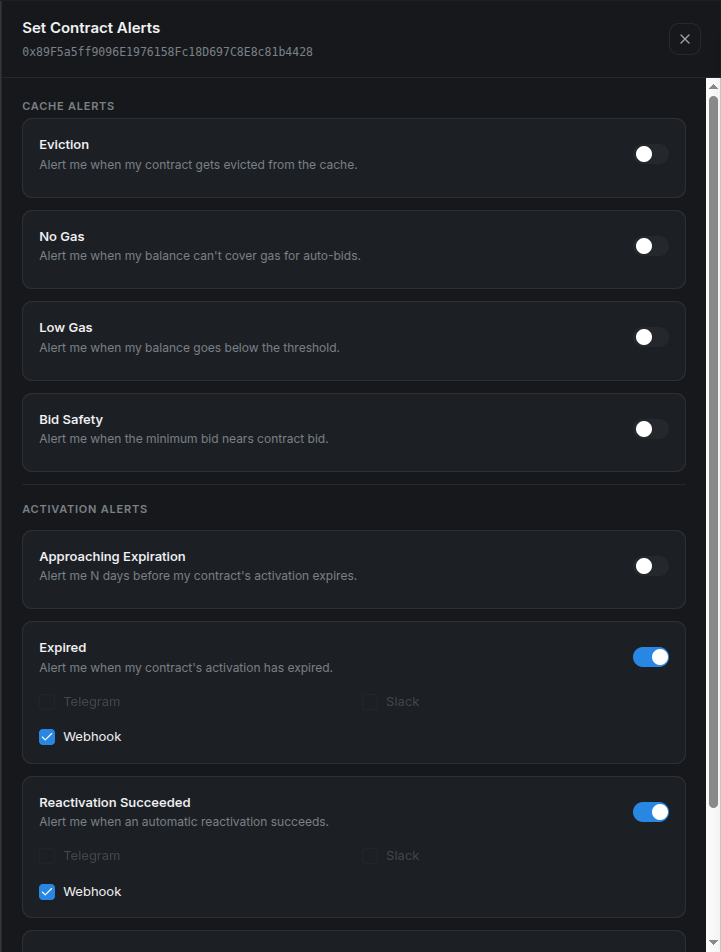
A required Stylus upgrade is visible in activation status and supported by auto-activation, but the current expiration-alert evaluator does not explicitly turn that error into an Expired notification.
Expiration monitoring and automation success/failure are different signals. A direct wallet activation can restore the state without generating a CMA reactivation alert.
Step 3: Save and verify
Select Save Alert Settings. Return to the contract and check the Cache alerts and Activation alerts summaries.
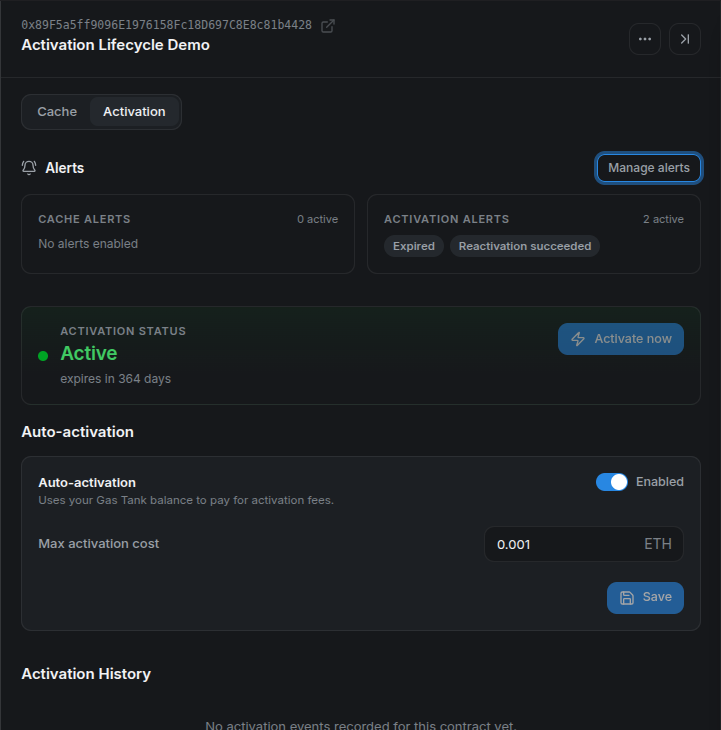
Some alerts follow indexed events; others run on periodic checks. Indexing delay, channel delivery, cooldowns, and retry backoff affect when a notification arrives. This release has no dedicated “re-cached” alert: verify cache recovery through status and Bid History.
For recorded webhook payloads and controlled local tests, see the activation tutorial and caching tutorial.