🤖 Configure Auto-activation
Reactivate after expiry or a required Stylus upgrade. First activate the program manually and save it in My Contracts. Auto-activation is independent from automated cache bidding.
Step 1: Fund the Gas Tank
Open the header's Gas Tank and deposit ETH on the selected network. Wait for the confirmed balance. This balance is shared with your automated cache bids.
See Gas Tank for the deposit and withdrawal steps.
Step 2: Set an activation limit
Open the contract's Activation tab, enable Auto-activation, and enter Max activation cost in ETH.
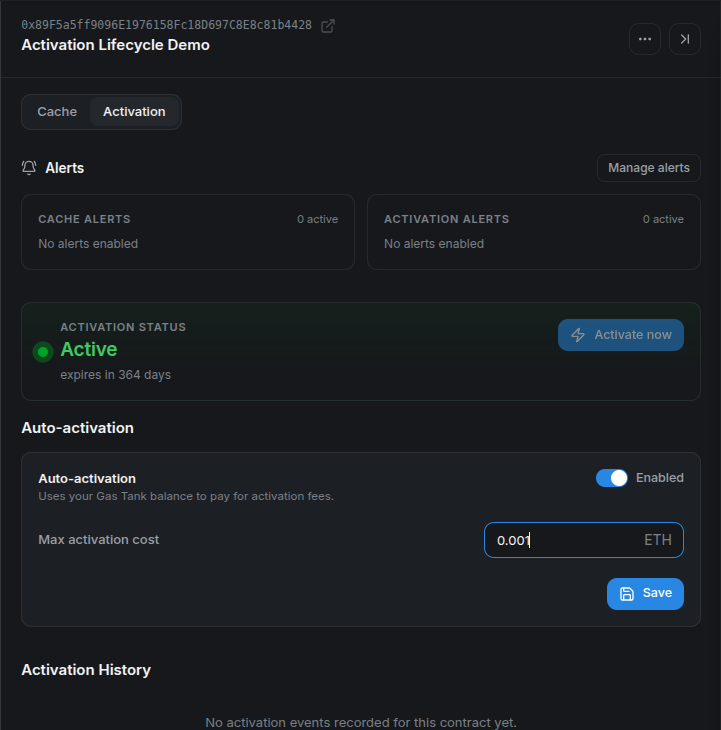
The maximum must be positive when enabled and within the CMA's configured funding limit. The Gas Tank must cover the full maximum for the contract to be eligible, even if an earlier activation cost less. This is a per-attempt limit, not a total lifetime budget.
Select Save, confirm the configuration transaction, and wait for confirmation. Saving activation settings preserves the existing bidding settings.
Step 3: Verify the configuration
Check that auto-activation is Enabled, the maximum matches your choice, and the Gas Tank has enough funds.
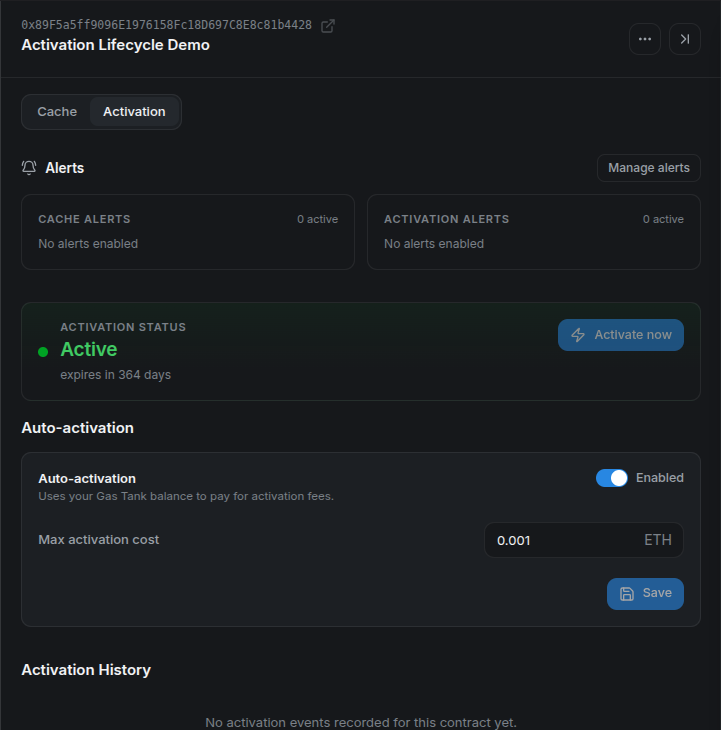
The worker checks eligible programs periodically. It skips programs that are still active and programs that have never been activated. A backend operator must also have activation automation enabled for that deployment.
Reactivation timing
This feature reacts to expiration or a required upgrade. It does not perform preventive keepalive. There can be a gap before recovery, and failed attempts are subject to retry limits and backoff.
Step 4: Check recovery and alerts
After successful automation, verify the active state, Gas Tank balance, and an Activated entry in Activation History.
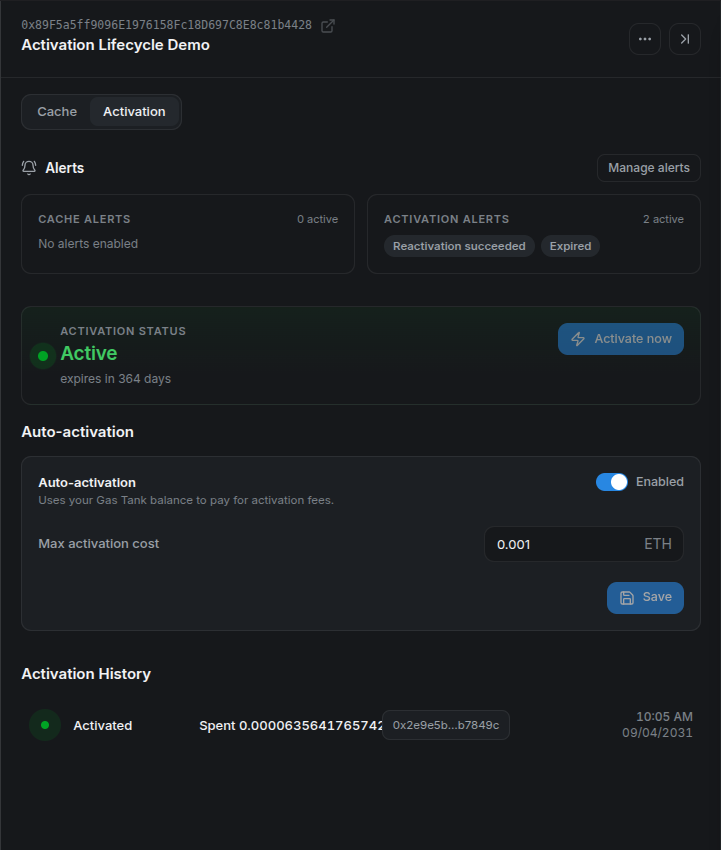
Enable expiration and reactivation alerts to follow the result. If no transaction appears, check the maximum cost, shared balance, current program state, and the backend's automation status. An Error state may require operator investigation after retries are exhausted.
To stop automatic reactivation, turn off Auto-activation, save, and confirm the transaction. Automated cache bidding has its own control.
For refund behavior and retry details, see Activation Lifecycle.